
Printhub
How refined components and better flows saved PrintHub users 30% of their time.
Role
Product Designer
Team
3 Developers
Duration
5-6 weeks
What is Printhub?
Printhub is a kiosk based printing solution that works through a mobile app and proprietary devices. Users upload files to the cloud and print them from any location. The system shows live print status and notifies users when prints are ready for pickup.
Designing for Users
Traditional printing is slow and disruptive. The Printhub redesign aimed to make printing fast and routine. Going into this project we had 2 high level goals:
Implement Material 3 to standardise app design.
Improve usability wherever possible.
Current Design
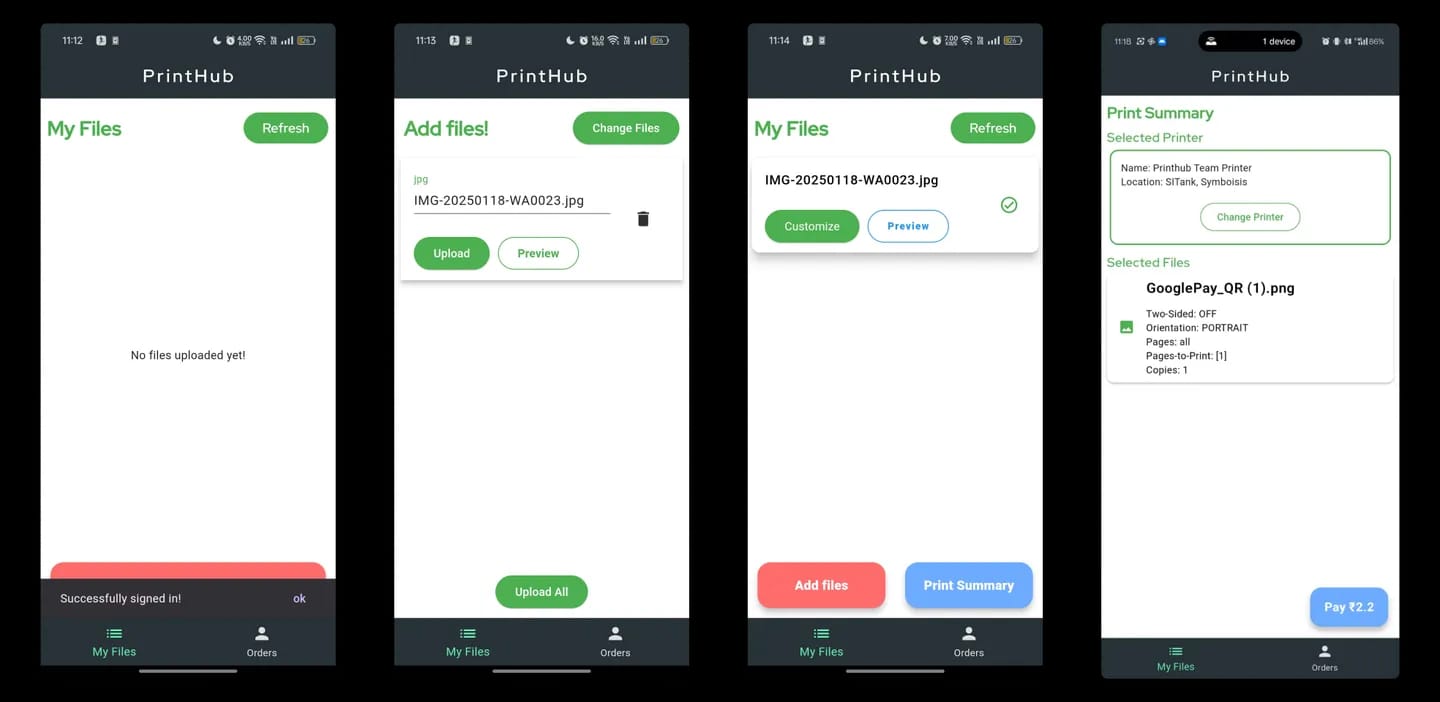
Starting Without Direction
At the start of project, we didn’t have specific problem to solve. This was due to fact that we had no insights on how users used the app. I started observing users and how they use Printhub.
Two things were clear:
Unnecessary actions
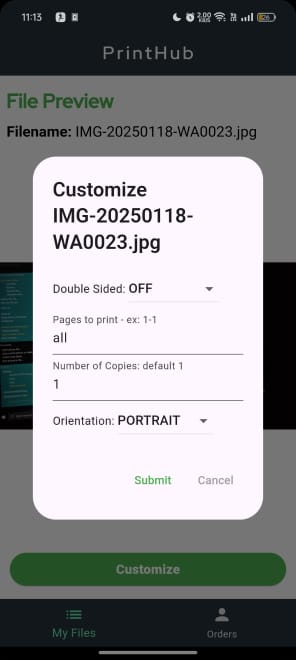
Frequent reverification resulted in slow checkout.
Users opened customisation settings multiple times during checkout to verify if the configurations were correct. This significantly increased the time to print and confused them.
Goal Failure
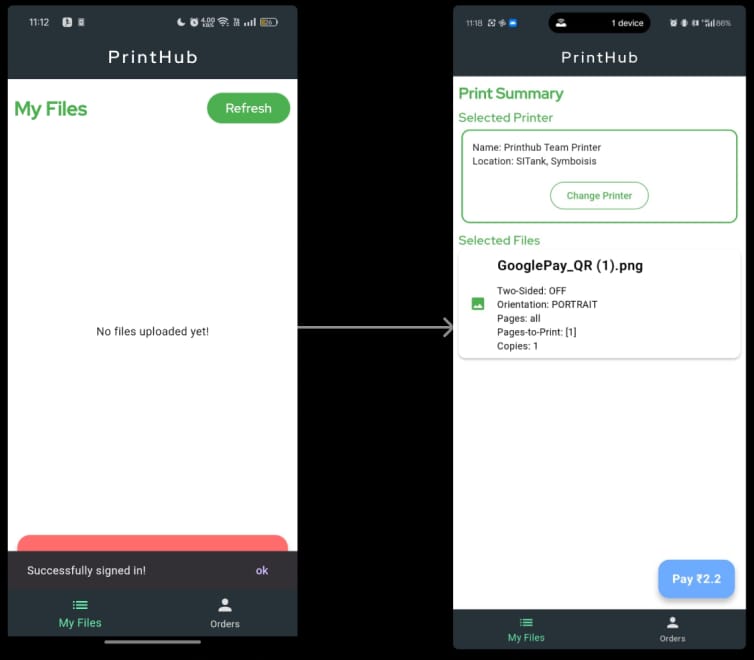
Failure to reach the goal in new users
New users weren’t able to complete process and needed human guidance to get their print. New users took 2-3 tries before getting the acquainted with flow.
Users Expected Clarity
When I went through the flow, it felt pretty clear to me. This surprised me a bit, and made me ask - “why are users performing repetitive actions?”
After bit of thinking, it become a clearer why users reverified their setting before printing.
Printing was a irreversible process that costs money and time. Getting wrong print means wastage of money. Users have to know clearly what they will get and how will it look.
User’s mental model🧠
An interesting insight while observing and talking to user that I came across was:
People usually are very anxious until the document queued to be printed. Once the printing commences they loosen up a bit. This anxiety occurs due to uncertainty of output.
It should just work
In an ideal world, Printhub experience should just work. It should be there when it’s needed, does the printing without wasting time and get out of the picture as soon as that’s done.
While talking with founders, they said - “The material 3 facelift will optimise user experience.”
It was pretty clear the goal was on optimisation. So we decided that the “task-completion-time” was ideal metric for us.
Reframing the Problem
Invisible feedback on action cause increase in task completion time.
The current PrintHub experience creates a 'verification tax.' Because the system hides critical settings and provides no visual feedback, users are forced into a repetitive loop of manual re-verification to soothe anxiety. This psychological friction directly increases task completion time and leads to self-doubt during a high-stakes, irreversible process.
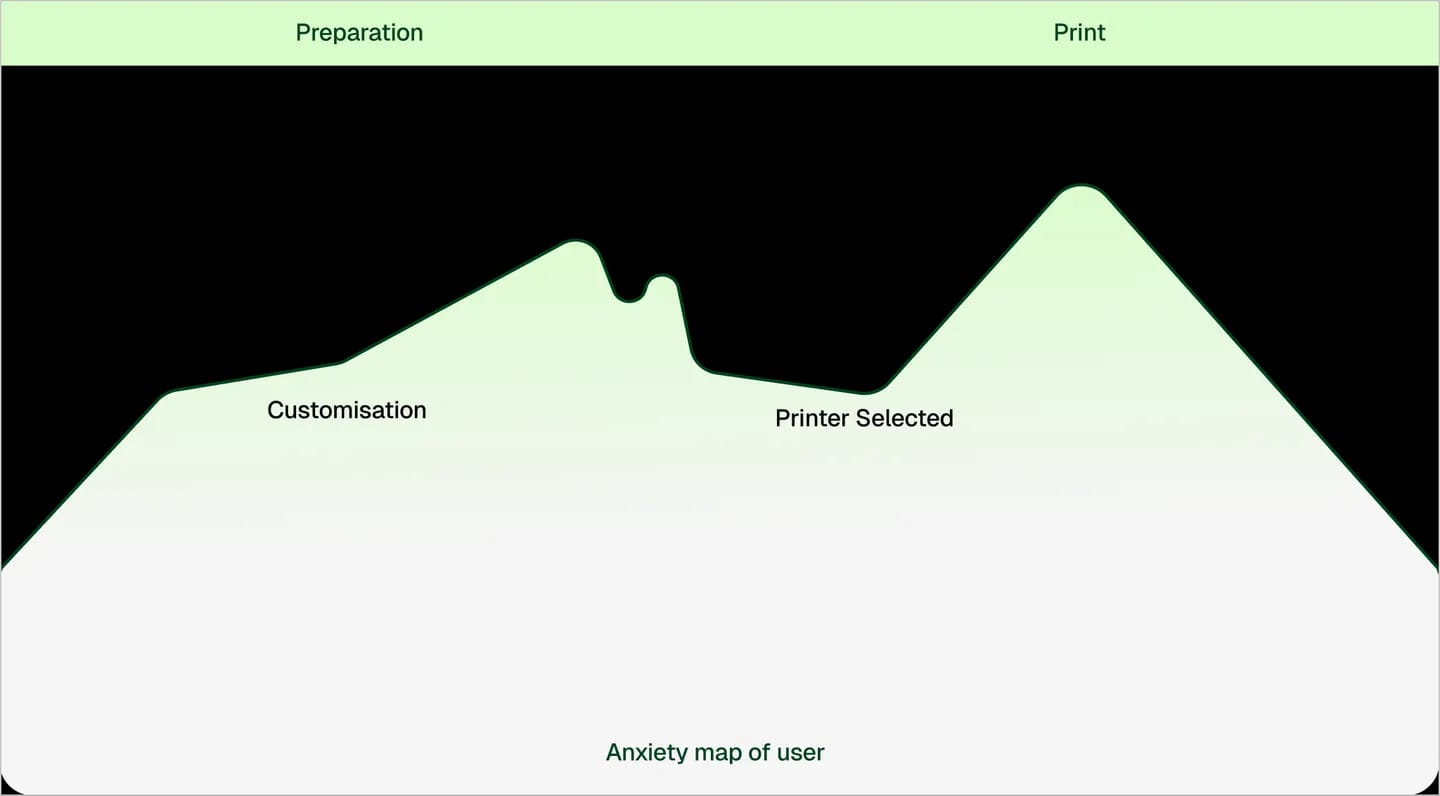
Based on talking to few users and our assumptions.
How redesigned Printhub reduces user anxiety
Yash, a college student, needs to print his practical before submission. He has used Printhub for a long time. He heard the app just got a major refresh. Let’s see how this app refresh helps Yash to print his files faster.
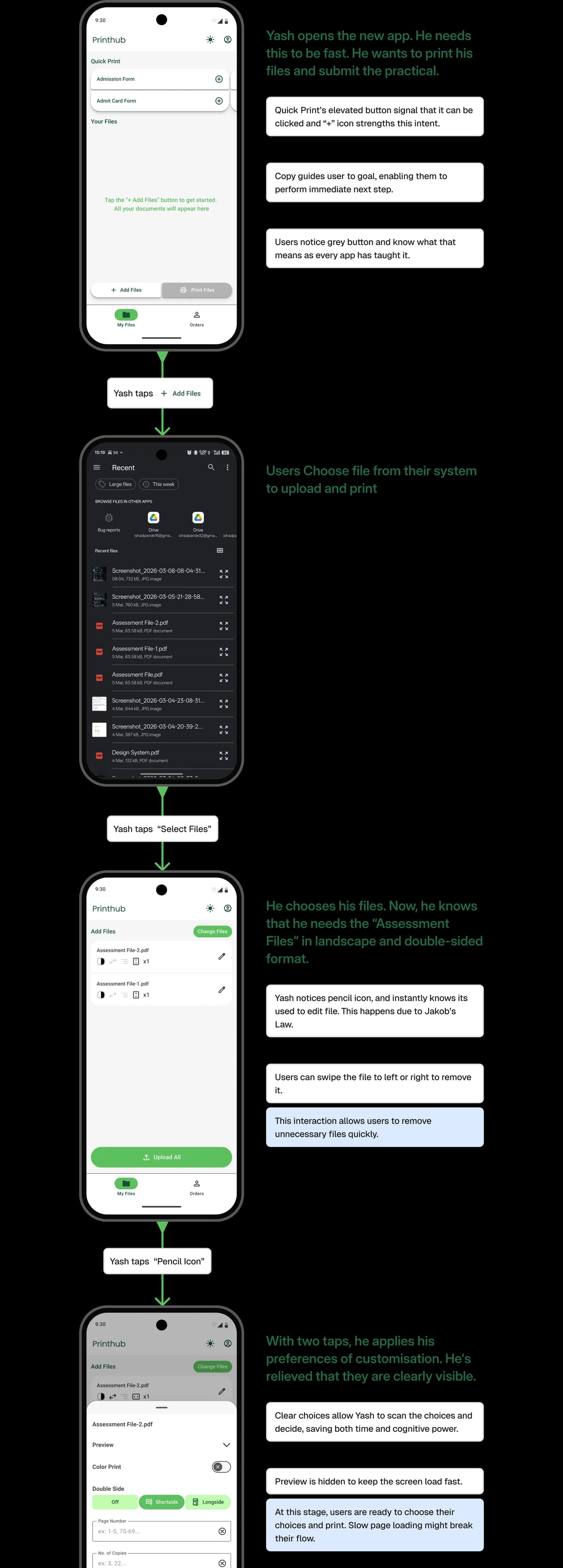
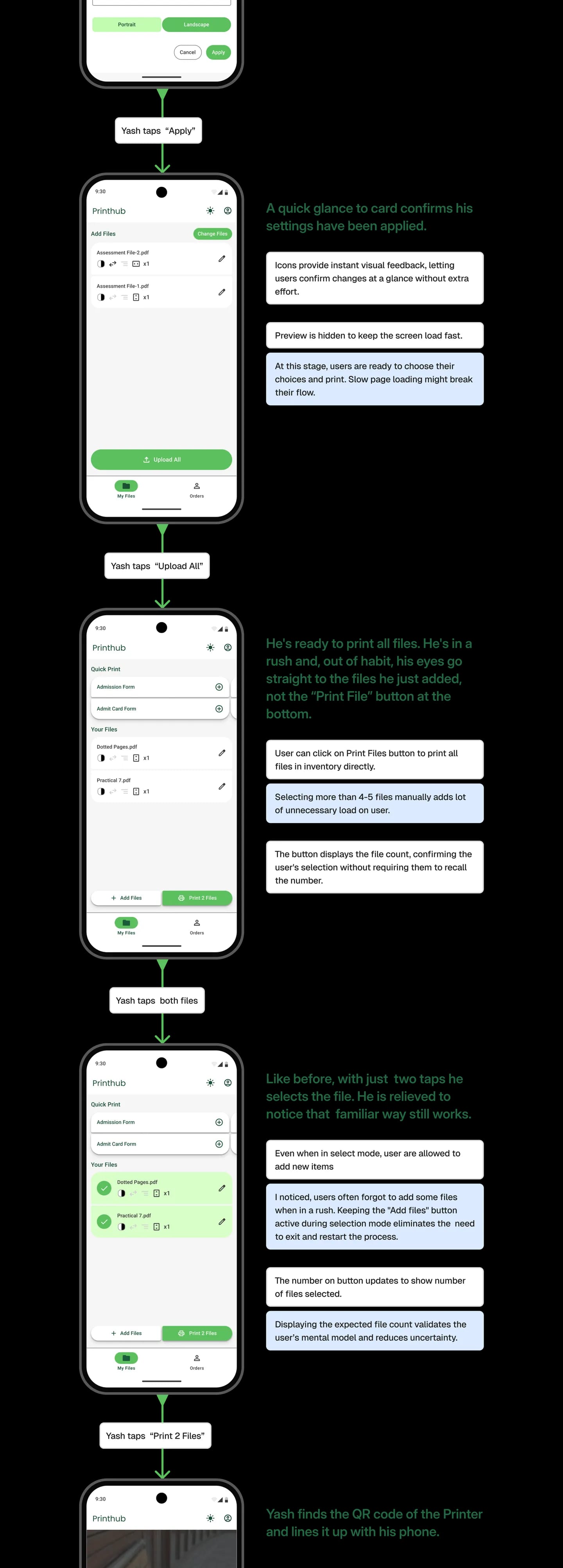
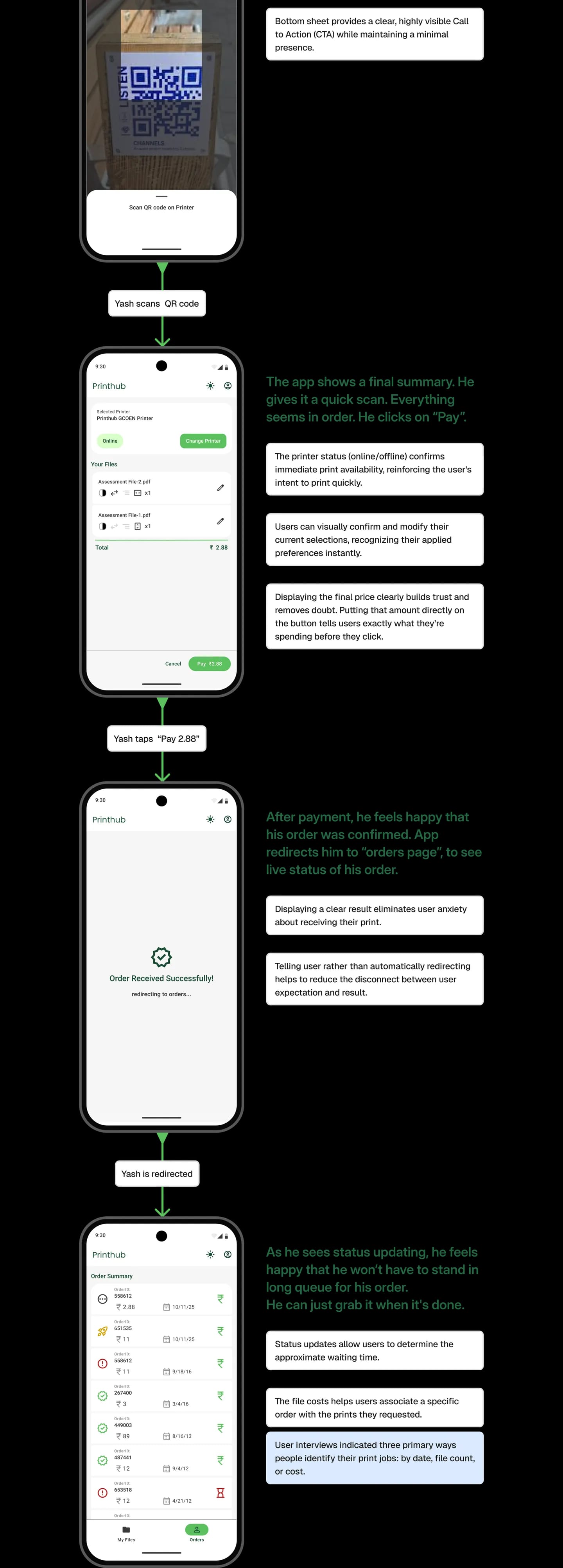
Decisions that shaped the experience
Decision 1
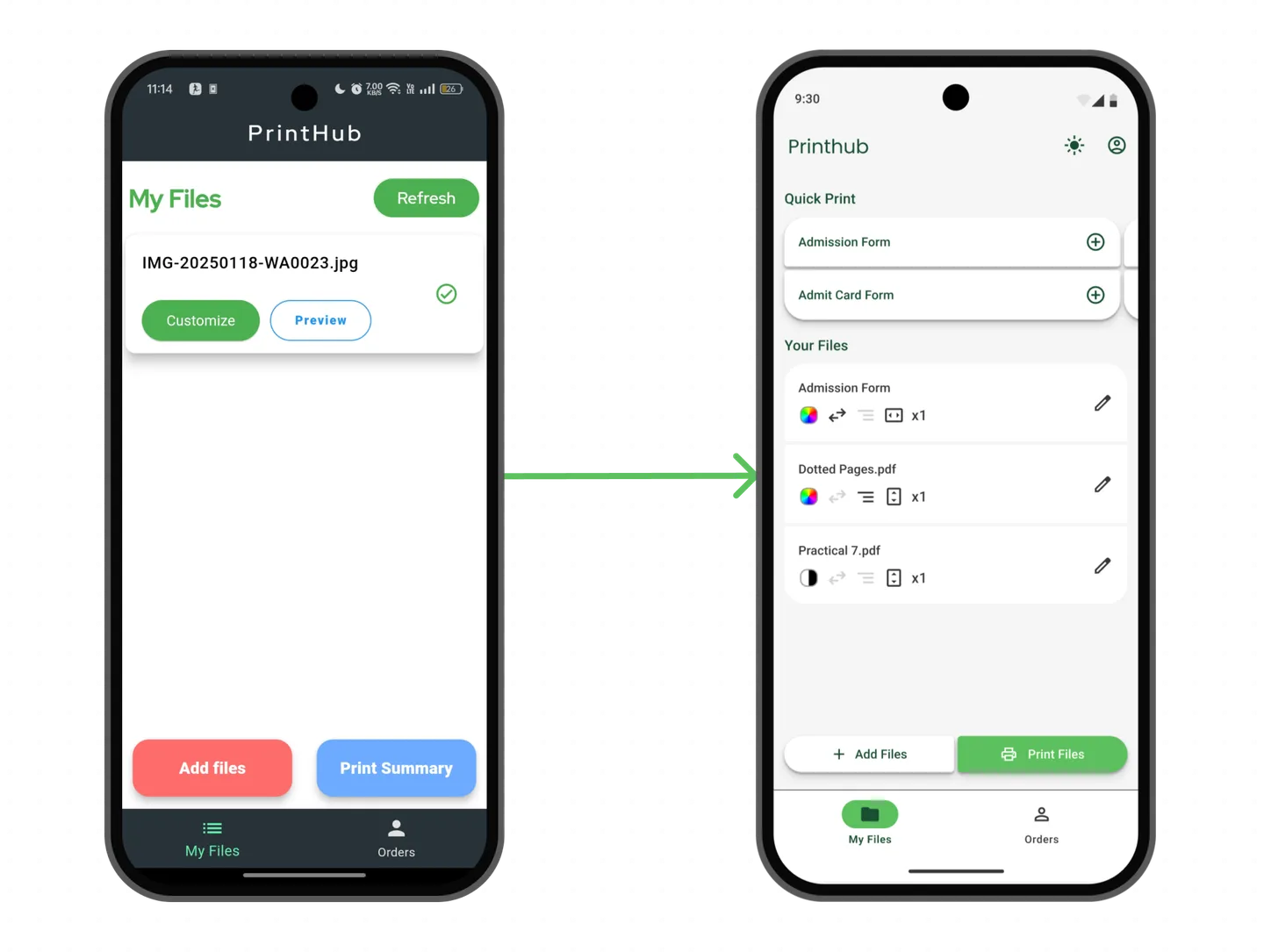
Why I redesigned the card to help user complete printing 30% faster
I realised that the problem wasn’t in UI but how people used it. Printing is irreversible. Wrong prints waste time and money. To avoid this, users repeatedly reopened customization settings to verify their own actions.
Current Card Design
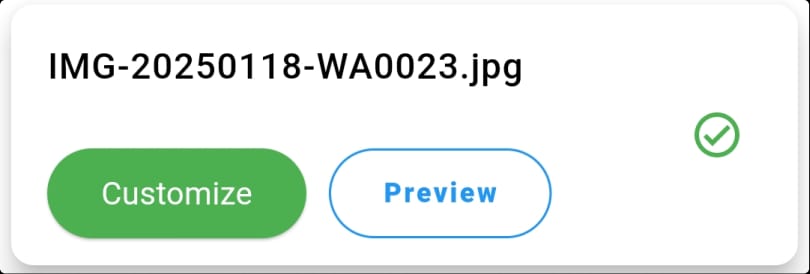
“Customize” does not tell users what they can change
Users only use preview when they are unsure about document
Card doesn’t follow material standards
My initial assumption was that people were forced to recall previous action. To avoid monetary loss they reverified the settings. Following recognition rather than recall principle, the goal was to surface past actions in order to reduce uncertainty without increasing cognitive load.
To support this, I explored two options:
Visual indicators Only
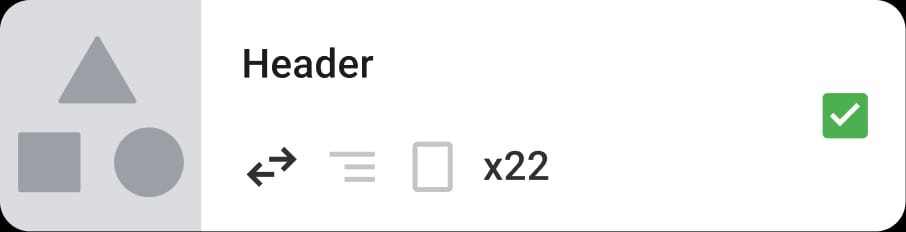
Changes in a features are clearly visible.
Visuals are processed faster and reduces cognitive load.
Can cause confusion due to different interpretation of icons.
Textual Indicators
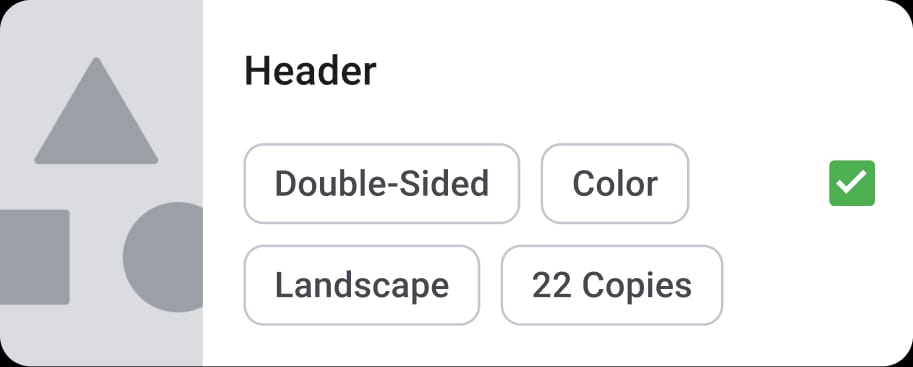
Clearly tell which options are used to print the item.
Removing guesswork on what is active and what’s not active.
This becomes unnecessary for users who print only a few items and adds avoidable cognitive load.
Excessive card height wastes screen space and forces unnecessary scrolling when multiple items are added.
When presented with two options, most users chose option one. Further talking showed that option two caused higher cognitive load as each option had to be read. Stakeholders reached the same conclusion, so we proceeded with option one.
As I removed customise button, we needed a new interaction to enter customisaton mode. We also needed a clear way to show and select files.
I explored two options:
Main Card Interaction Ideas
Idea 1
Click and hold to customise while retaining the checkbox to preserve existing user habits.
I kept the checkbox for selection and added a preview so users could see whether a file needed editing. Customisation was available through click and hold. This assumed that most users rarely need to customise files.

I was wrong. Users used customisation lot more.
Interaction on hold remains unclear, and users do not understand how it works.
Preview Dropped!
It was technically complex to implement and did not fit within the project timeline.
Idea 2
Introduce edit icon instead of the preview.
Following removal of preview, I added a Customize icon instead of using a hidden gesture. I kept the checkbox, even though it did not fully match Material 3. This decision was to preserve existing user behaviour.

Users had to stretch their thumbs to reach the customize icon, making it hard to tap.
Placing the Customize icon on the left helped users immediately understand how to change settings instead of experimenting to find the action.
I was unsure how can we conserve user behaviour and follow design standards as well. I went to other apps to see how they tackled the the problem of keep selection and edit (secondary action) viable. When I saw Gmail it become very clear what I was missing out.

One click on the item avatar selects it and UI enters selection mode.
Secondary action like starring was on right and still viable.
When I talked to users about Gmail, a comment similar to “it is how it is” came up in every conversation. This meant that they felt safe while interacting with card, so much so that it became second nature. This made me realise that following same pattern won’t cause much friction in users.
Final Design
By making applied settings visible, the final design removed reverification and reduced decision time during printing
By prioritising recognition, user moved through flow much faster as they had higher confidence on their decision.
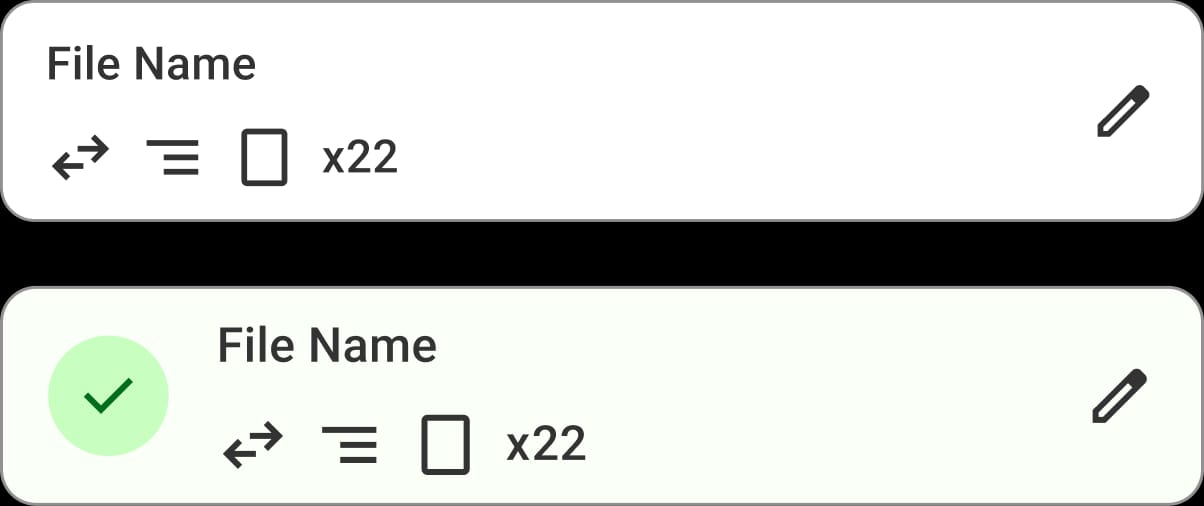
In testing, we noticed most of the users already knew what to do, without much guidance.
We conducted testing with 7 students. On average they were able to complete the flow faster by ~30% for more than 4 files.
Decision 2
How I fixed two broken button to behave like user expected them to.
The two button on home screen had were very integral to the whole flow, yet I myself found them to be a bit confusing on how they functioned as a new user.
The interaction was more confusing, the print summary button only appeared if item was selected. Meaning if user had items and none of them were selected, there isn’t any clear way forward.
Current Design Analysis
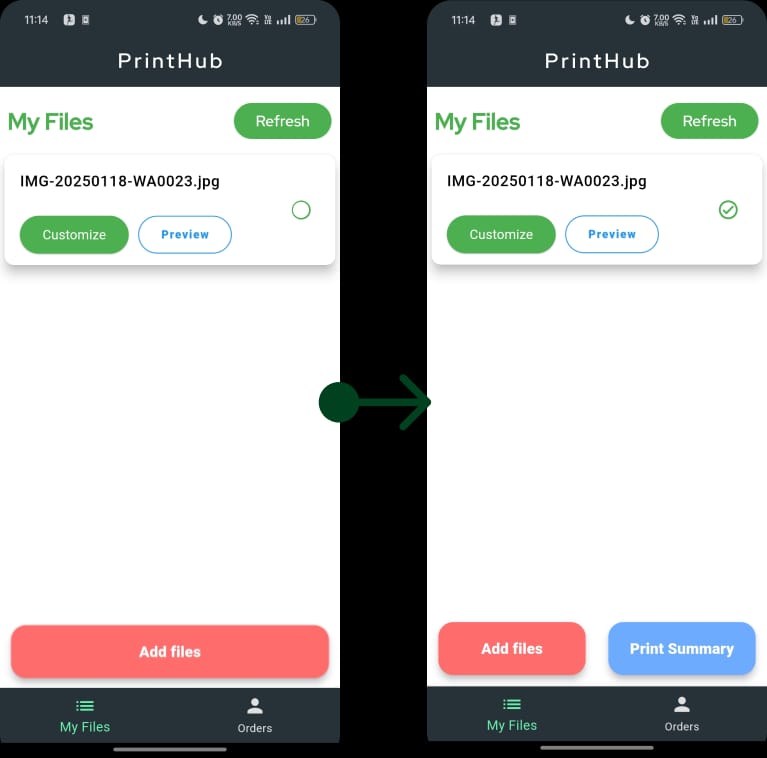
The path to final goal is unclear to users.
Visual Feedback is very subtle after item selection causing change blindness
Buttons doesn’t follow material standards
Observation showed that many users missed the button change, and no one understood what “Print Summary” meant. New users were forced to click it just to learn its function.
I realised the problem wasn’t the button itself but how the button behaved and meant to users.
My initial assumption was to stick to material guidelines, this led me to two ideas:
Idea 1
Floating Action Buttons
I decided to keep the “Add files” button as primary button and “Print Files” as secondary FAB as Printing was depended on adding file. This made adding files primary action.
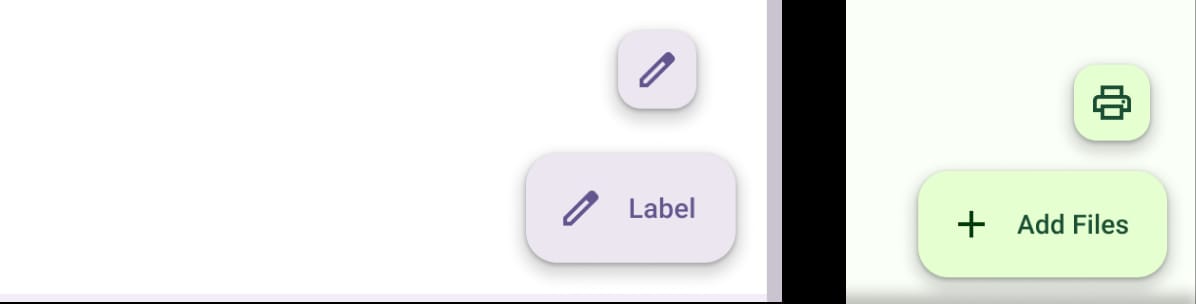
This reduced importance of ”Print files” which is essential to completion of flow.
Users where confused what button does because the print icon was associated with changing printer rather than printing itself.
This revealed a key insight. “Print Files” depends on “Add Files,” but printing is the primary action because it drives revenue. It cannot be deprioritized relative to adding files.
Following insight, I mapped user journey and understood that one specific moments act as pivot i.e. when user selects file. So I decided to experiment with contextual buttons.
Idea 2
Contextual Buttons
I noticed that user intent selected from adding files to printing files as soon they select a file. Following this, I decided to replace “Add file” button with “Print Files” on selection, similar to original pattern.
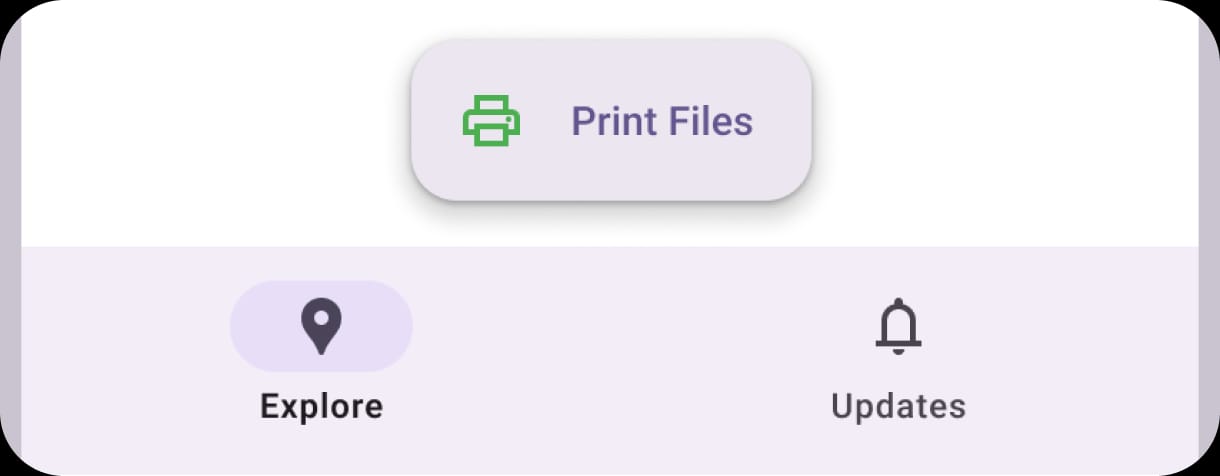
Screen now had one primary action effectively reducing the time to decide
User still suffered with goal gradient problem as they didn’t know what to do once file was added (but not selected)
In case of more than a 4-5 files, it would become tedious to select each and every file one by one because the user might have to scroll.
We tested this idea with users got the following feedback.
“How do I print file, I have added them already. At least in I knew what to do earlier”

“I have to select so many files 🥲”
The comment “I knew what to do earlier” was a frequent. Stakeholders were concerned that this change would cause a lot of confusion between users so we reimplemented original logic.
But then I realised something: Users where confused earlier as they weren't able to see the goal and in Idea 2 because the goal wasn’t visible. So I decided to tweak the current design slightly.
Final Design
Redesigning the process: Automatic Selection and Goal Visibility
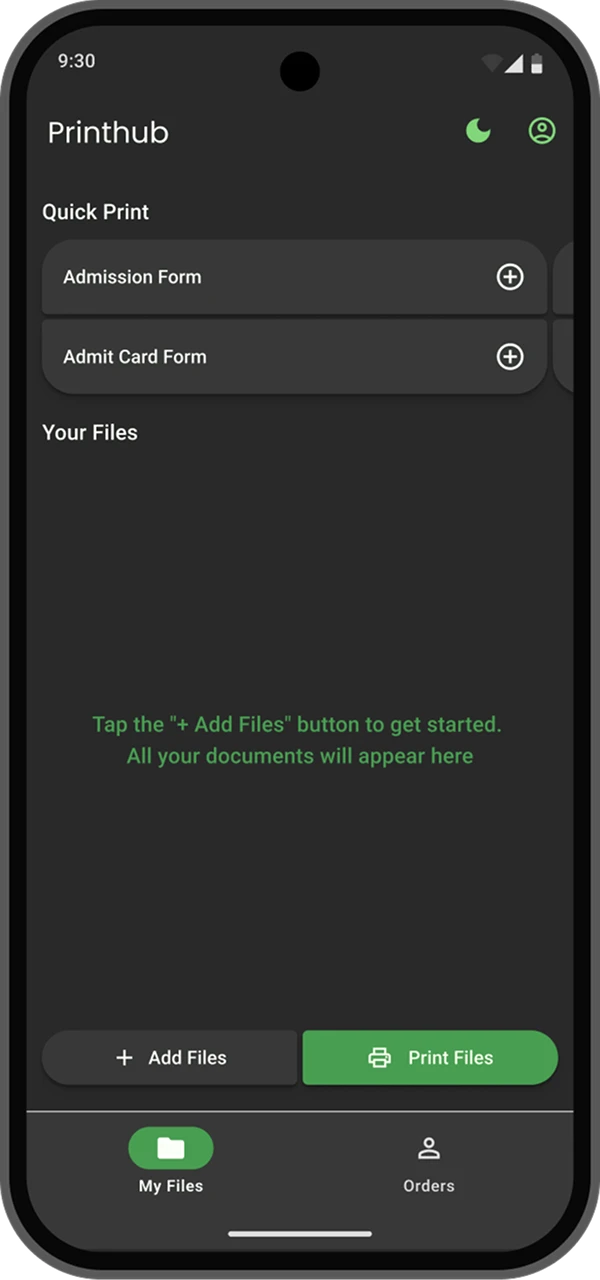
I decided to keep “Print Files” as disabled in case no files, provide user a glimpse of final goal. Another functionality was click on Print without selection will print all files to reduce hassle of selection.
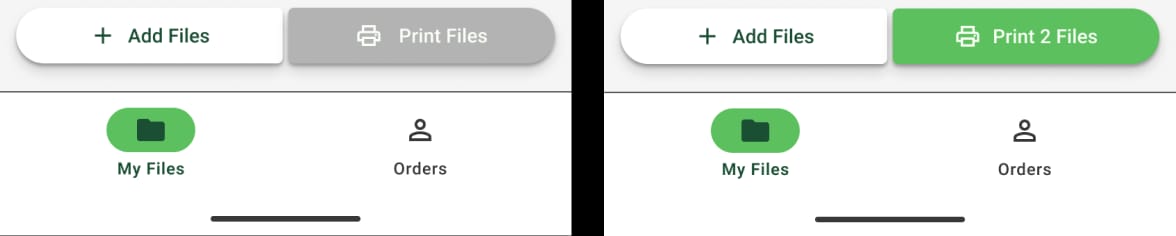
This allows users to see what the next steps are.
New functionality allows user to print all files without selecting them, removing selection hassle entirely.
As the deadline approached, we could not test this change and released it to users.
Follow up conversations showed positive feedback, especially on removing the need for selection, allowing flexibility when wrong files were uploaded, and improving speed when printing many files.
How people use Printhub
Nina can’t remember her submission.
Nina, a daily Printhub user, can't remember if she submitted her coding assignment. Her friends mention the coding assignment that was due yesterday. She tries to recall whether she actually submitted it. To find out, she opens the app, to check if she printed it or not.
She bypasses the main print functions, and heads directly to her past order history to see if a print job for it exists.
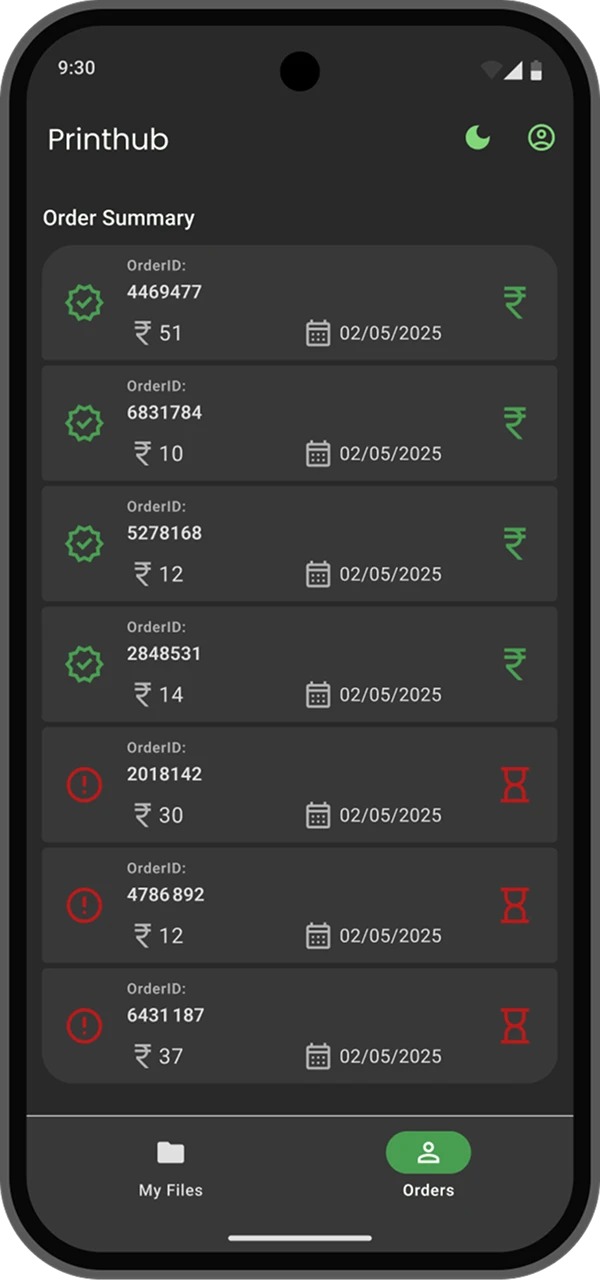

She doesn’t remember the orderID, so she starts looking for all the prints from yesterday.
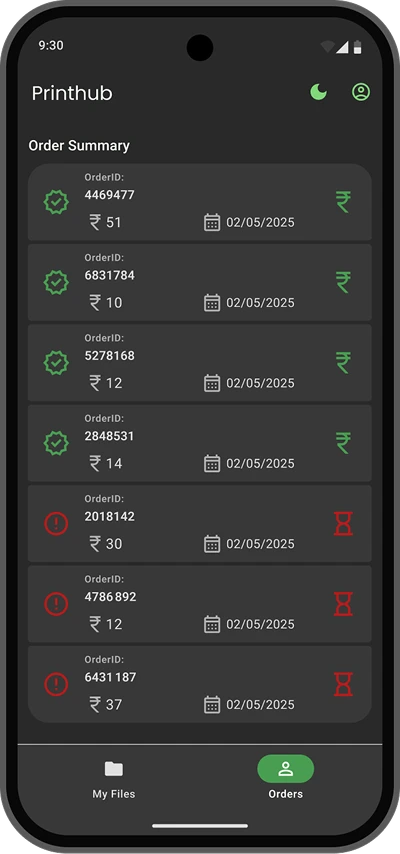

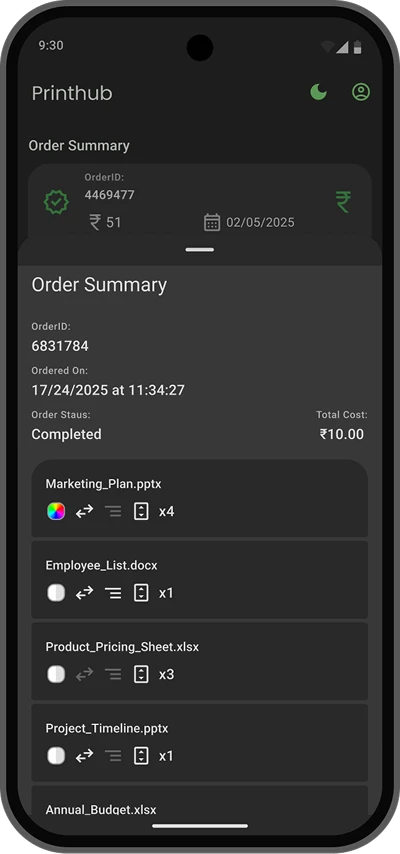
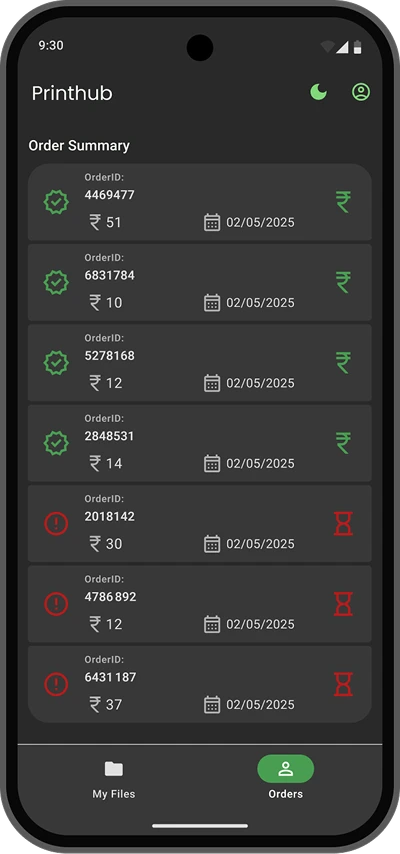
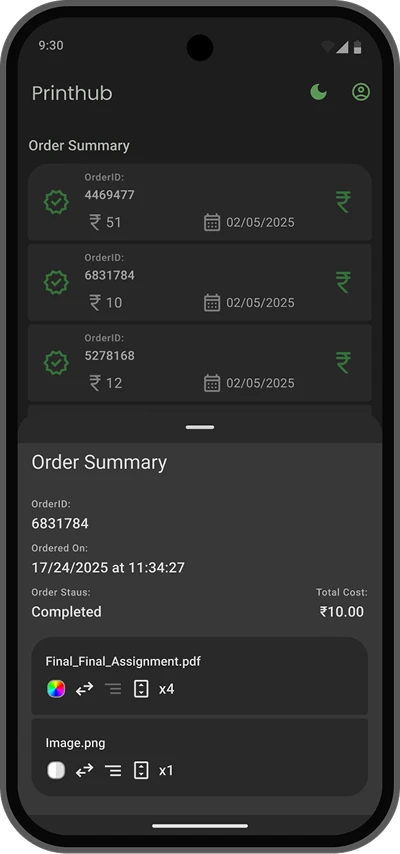
She found it: 'final_final_assignment.pdf' in yesterday's print history. A huge sigh of relief. Since it was printed, it should’ve been submitted.
Raju Is Too Busy to Wait for His Prints.
Raju works at a government office. With an audit approaching, his workload is heavy. He needs some files printed. He opens PrintHub to get it done. He uploads the files to be printed and completes the process.
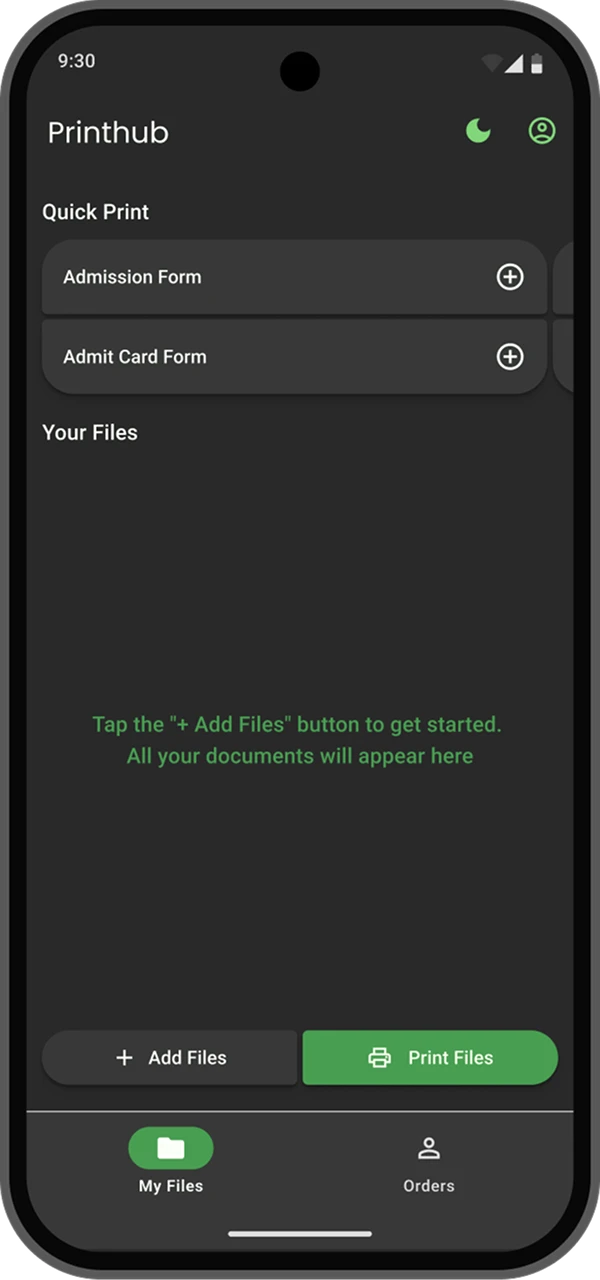

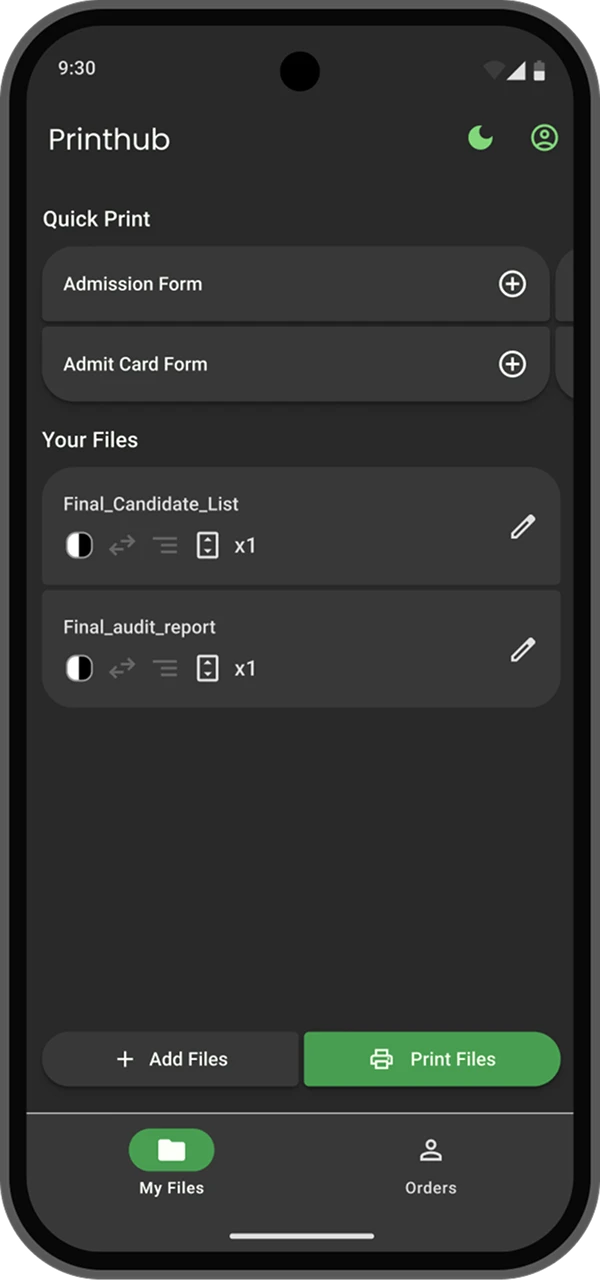
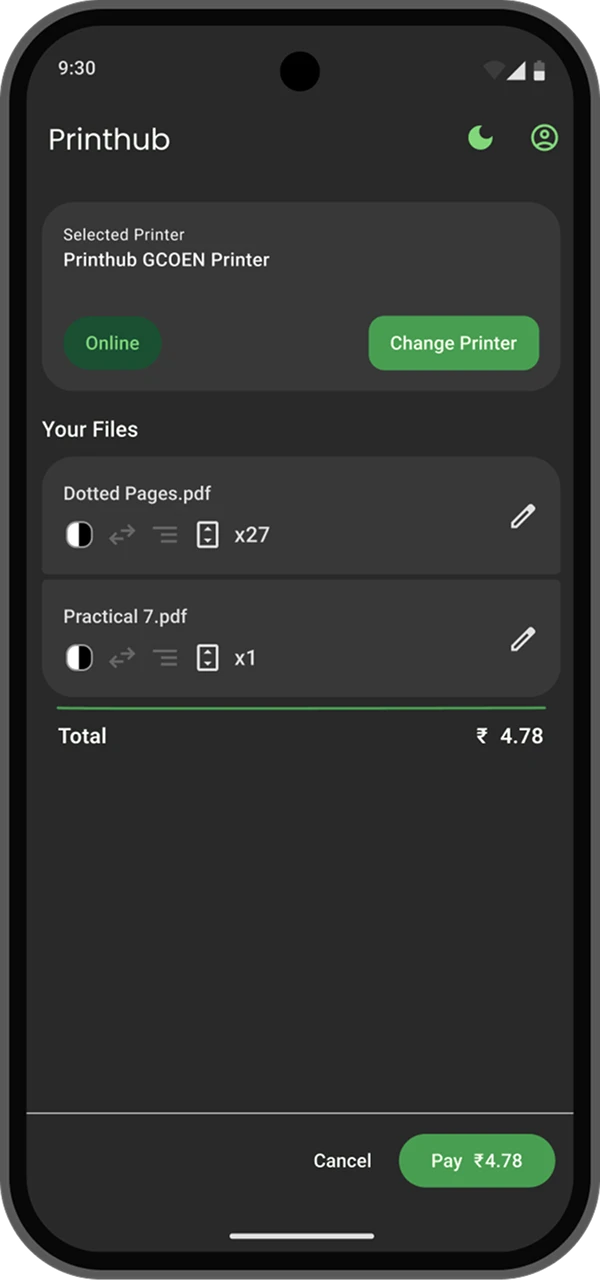
Once order is placed, he observes that the status is pending, so he goes back to work. After about 15 minutes, he checks in again.
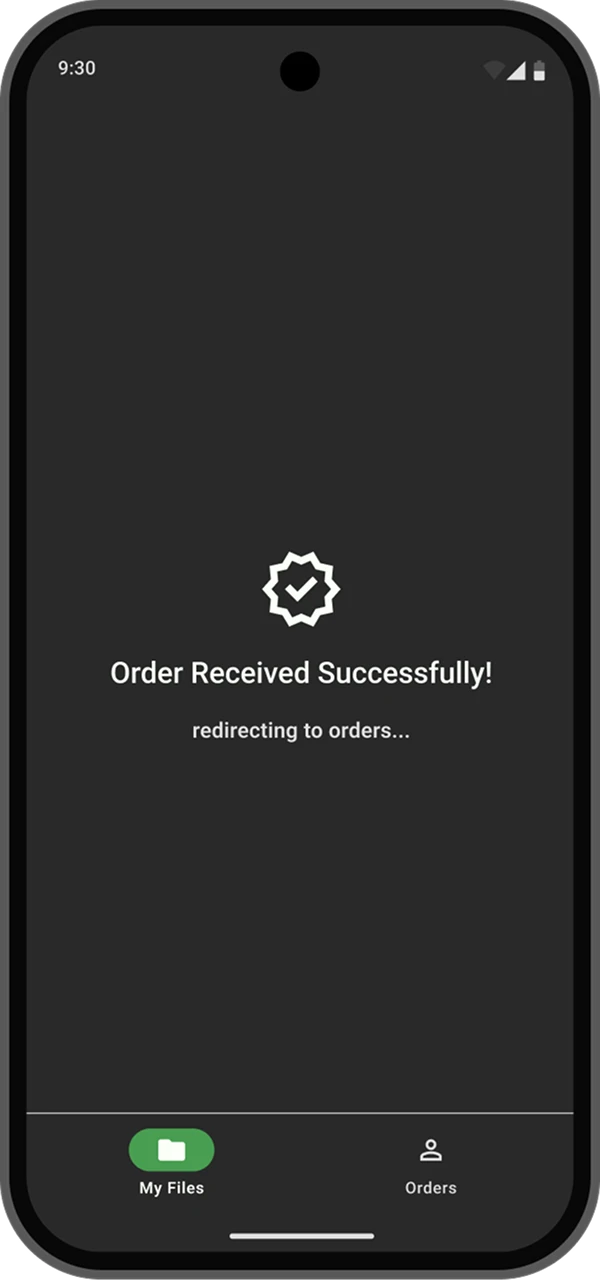
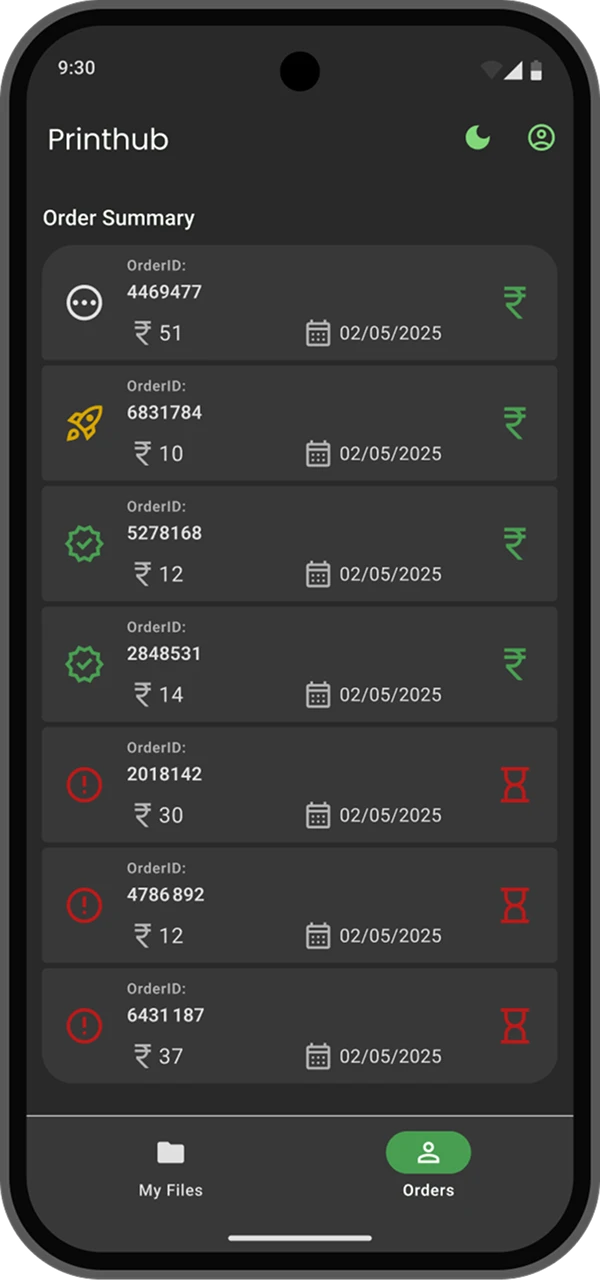
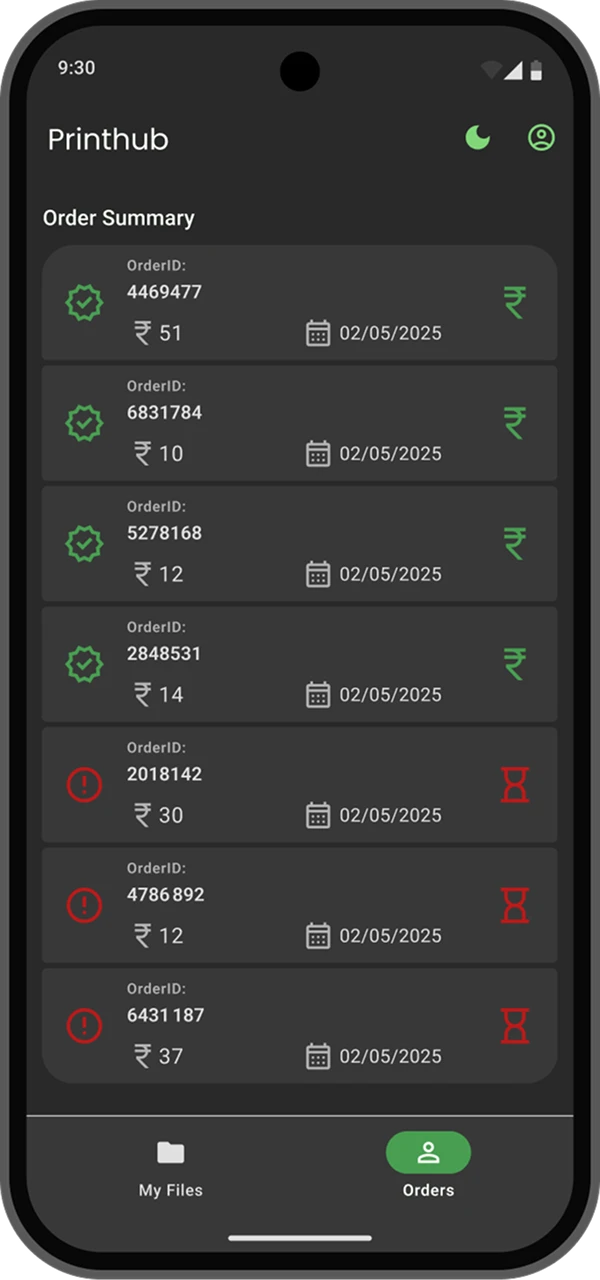
He notices his last order is still processing, so he walks to the printer to collect it. He was happy, that quick visual nudges show him the moment the prints are ready, letting him pick them up without losing time.
UI System I created for better handoff
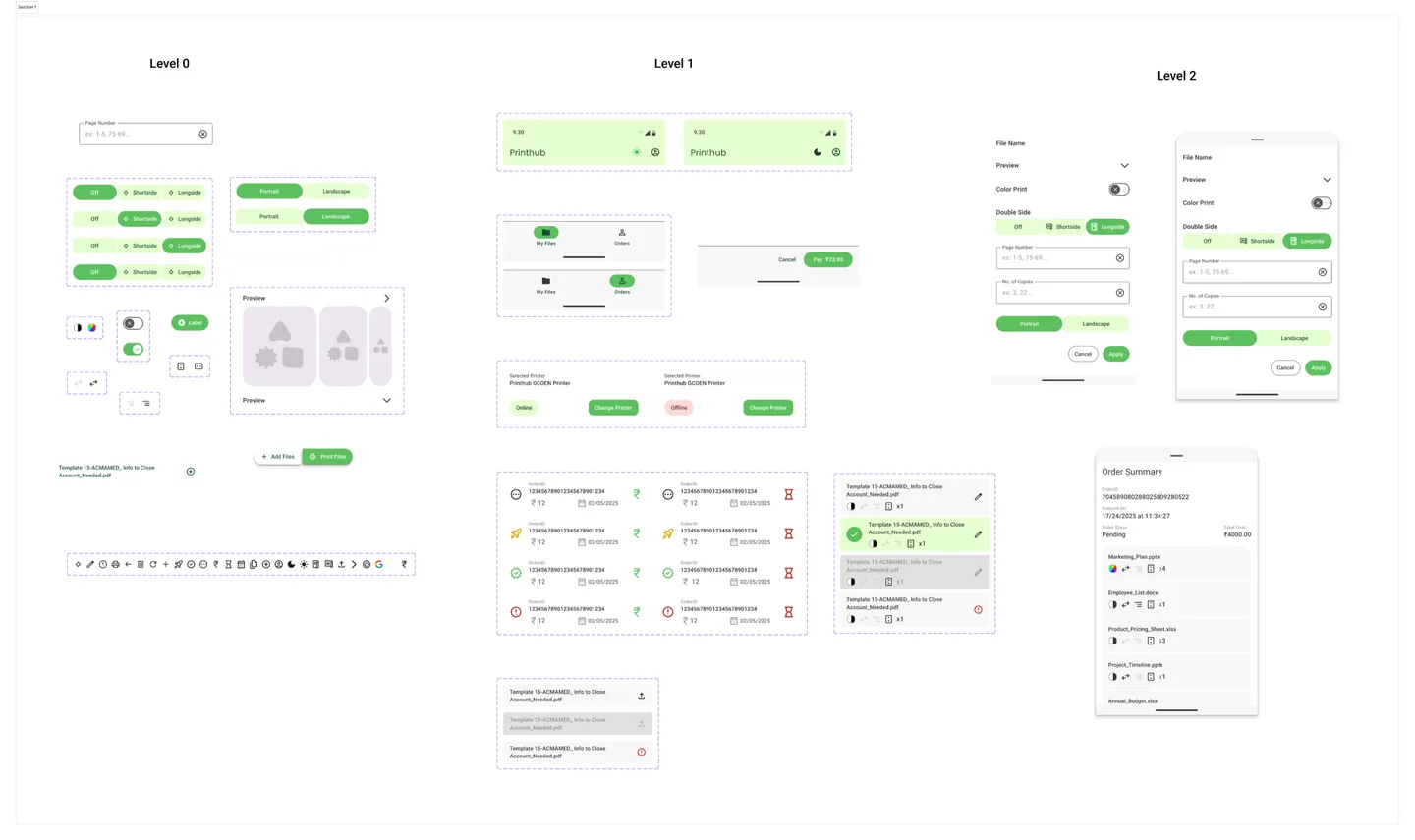
The original app was based on Flutter, so I decided to use Material Design. Components from the new Material 3 Expressive system were used and selectively modified to fit the product.
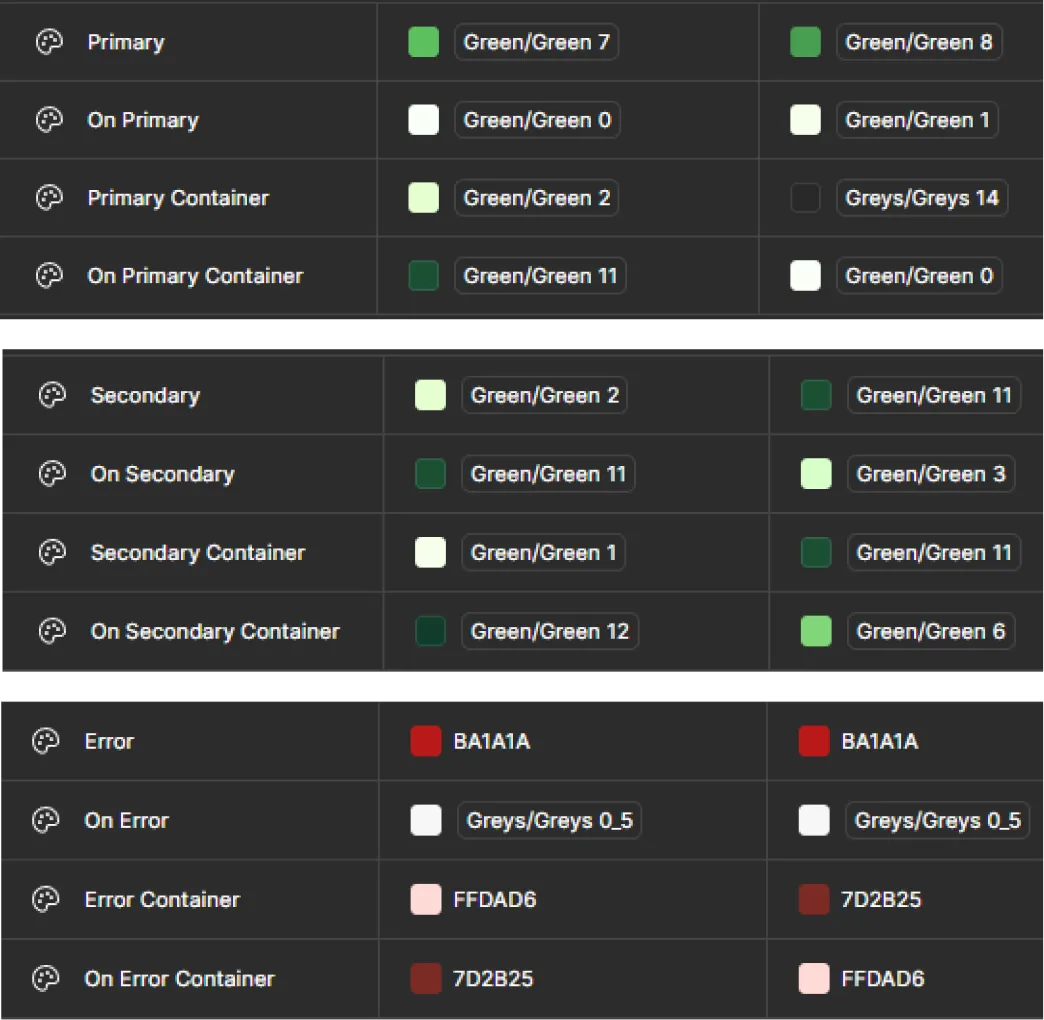
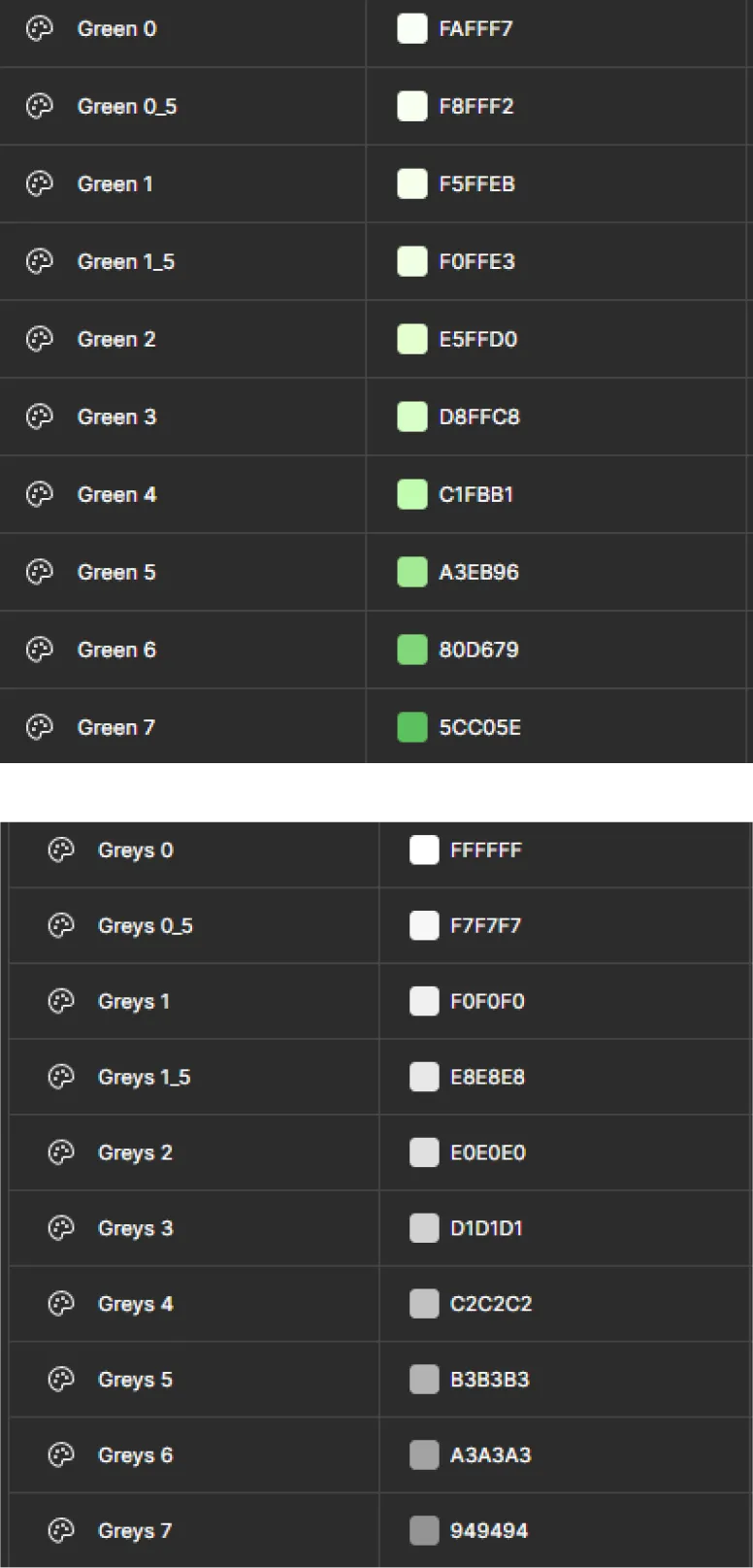
I used variables and a two-tiered token system to guarantee a clean, consistent build for development. This structure was designed to be scalable; with empty tokens ready for new colours. This ensured the new design met Material Design colour standards.
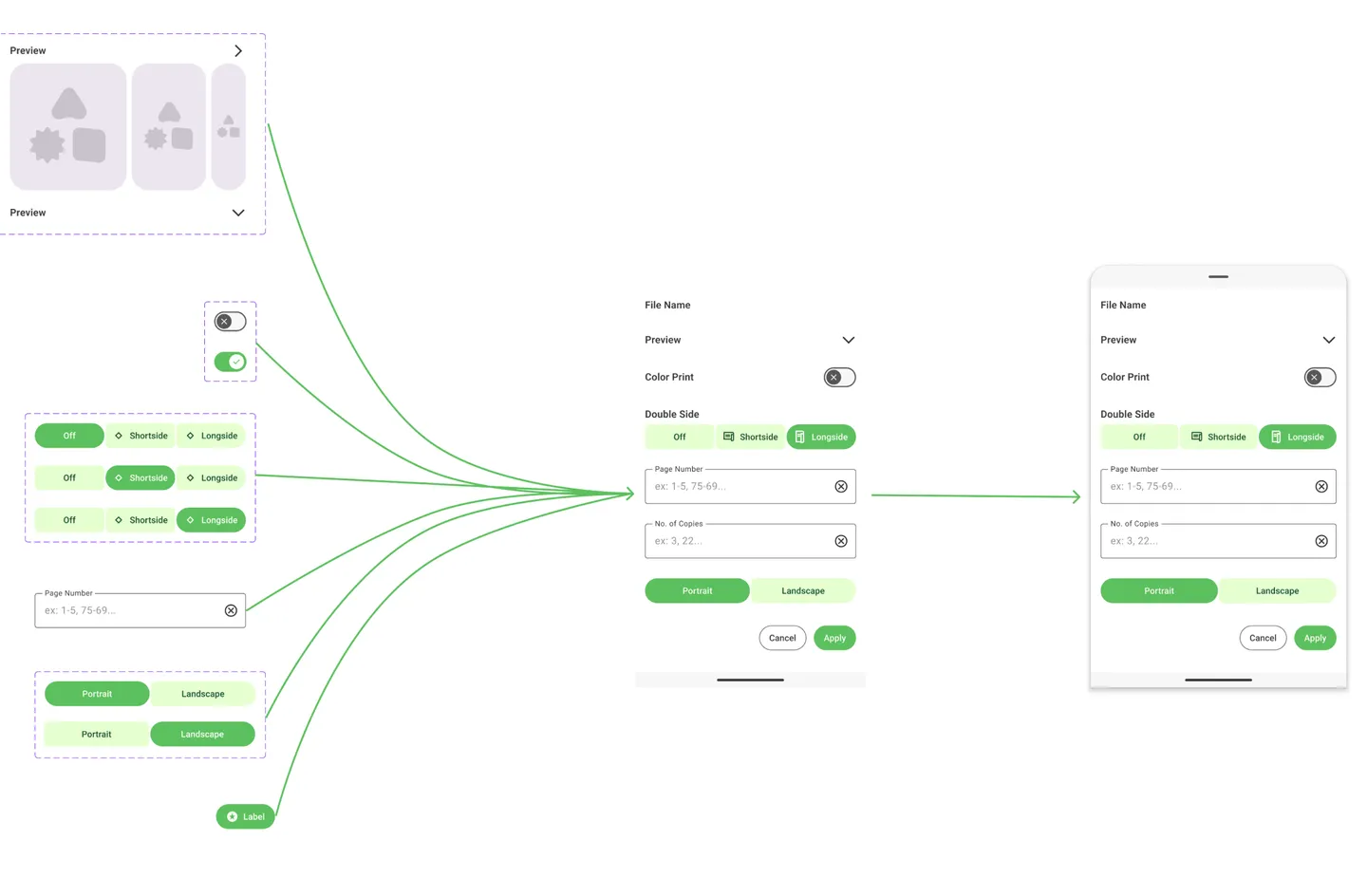
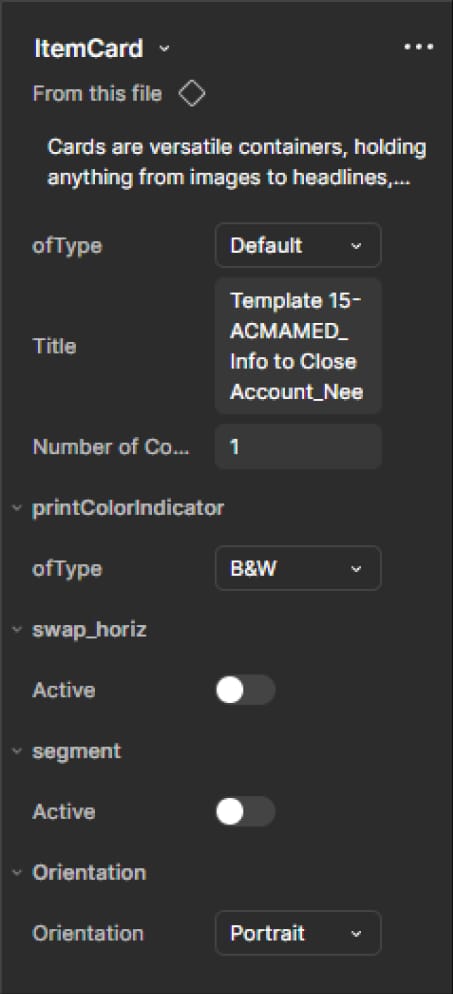
Clear nomenclature and mixture of various components allowed me to customise components to fit various situations and use cases.
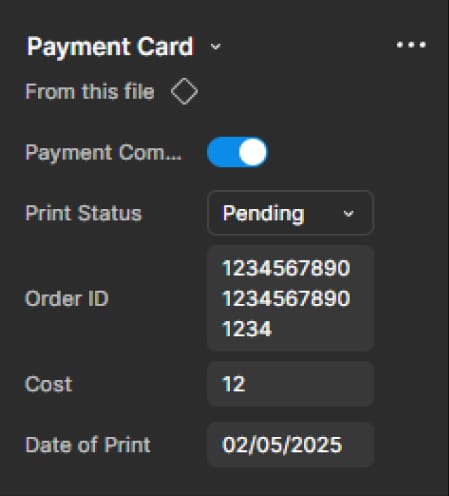
I built bigger components as a mixture of smaller atomic components. Auto Layout was used in order to maintain a consistent spacing and arranged even when the size of component changes.
What if I had more time?
My next immediate focus will be the web platform ensuring every user experiences the same consistent, unified design.
Moreover, some initial assumptions were green-lit quickly by stakeholders, we would like to conduct a thorough testing and make sure these really work.
Future versions of Printhub could introduce features like user presets, deeper customization, and quick-print options tailored to individual needs.
Main takeaway
The main takeaway from this project was on my process. Just providing design wasn’t enough, designer and developers have to actively communicate in order to provide a experience as it is designed.
Biggest change in my process is focusing on the bigger picture rather than just work as a designer.
A great design that can scale is always better than a perfect one that can never be fully built.
Thank you!